
Terminal
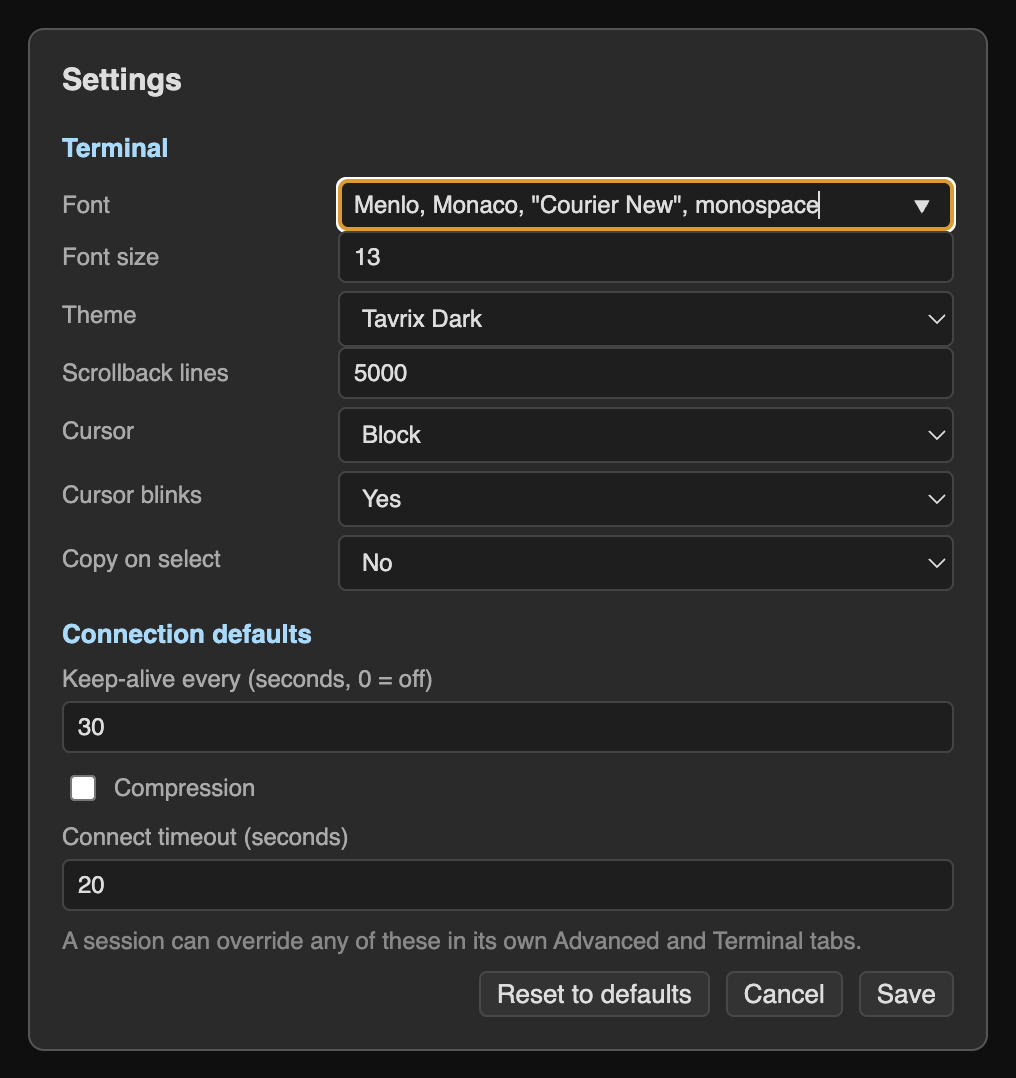
Several shells on one connection, side by side or stacked. Drag the dividers to resize. Themes, fonts and scrollback.
For macOS · Free · Open source
Tavrix puts an SSH terminal, a file manager you can drag files into, and an editor with tabs side by side. Connect, change a file, save it straight back to the server.

No separate SFTP client. No copy-pasting paths between windows.
Several shells on one connection, side by side or stacked. Drag the dividers to resize. Themes, fonts and scrollback.
Click to open folders, drag files in from Finder to upload, right-click to download, rename or change permissions. Scripts stay executable.
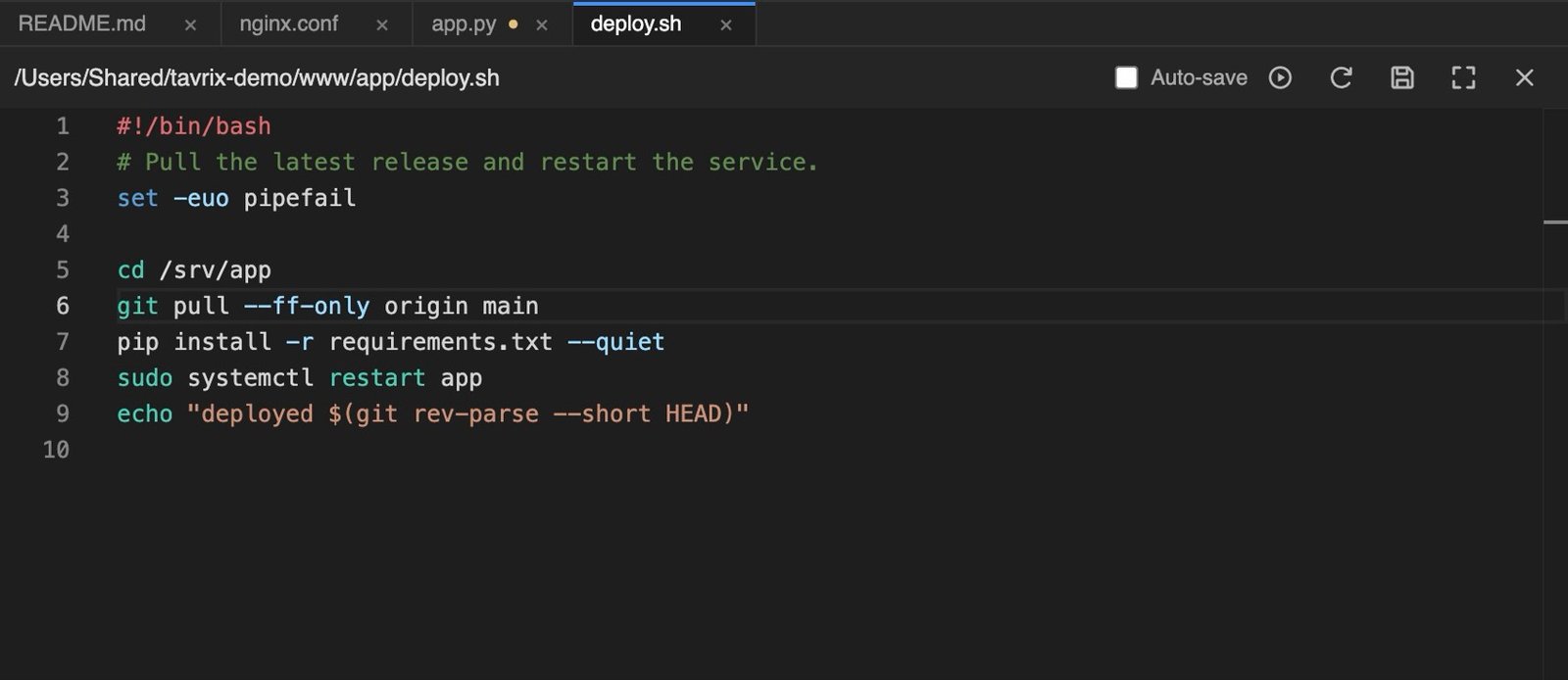
Syntax highlighting, auto-save, and a warning if someone changed the file on the server. One click makes a script executable.
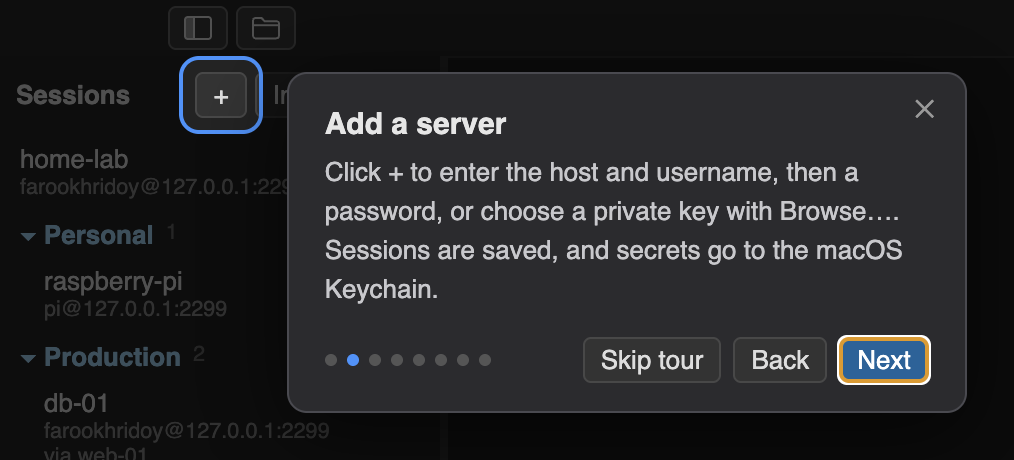
Save servers in folders. Passwords and key passphrases are encrypted with the macOS Keychain. Import from ~/.ssh/config.
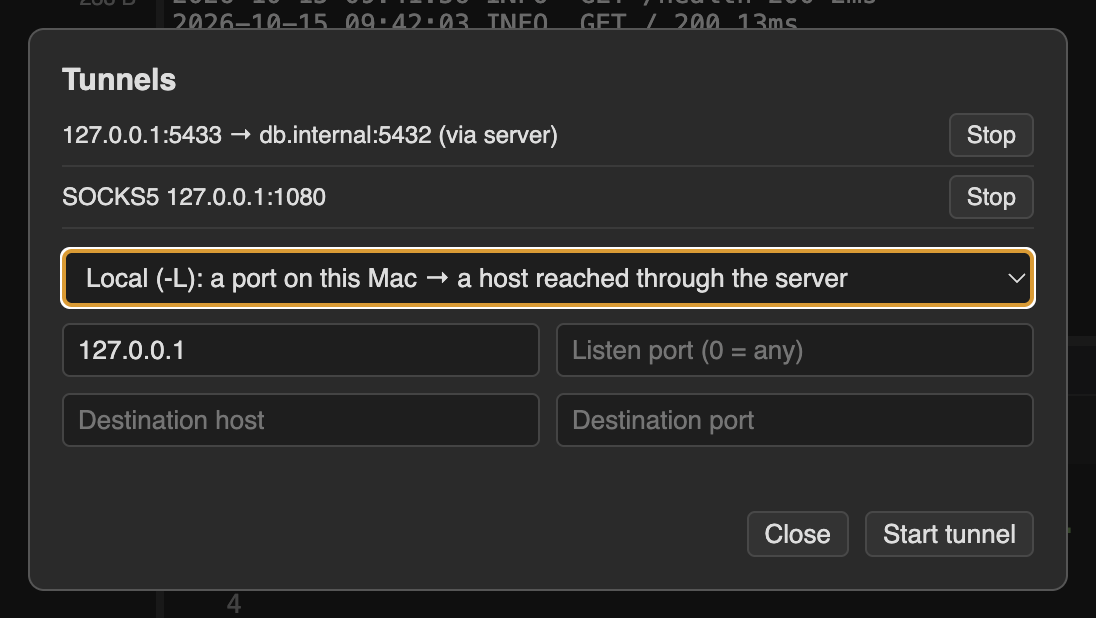
Reach private servers through a bastion. Local, remote and SOCKS5 port forwarding from a simple form.
Save commands you type often and insert them with a click. Nothing runs until you press Enter.
Server fingerprints are checked and a changed key is blocked. One network connection per session. No accounts, no telemetry.
About 90 MB to download, trimmed down from a much bigger default. Comes with a quick tour and a built-in manual.
Real screenshots, taken from the app.

Version 1.7.0 · released October 15, 2026 · release notes
Macs with an M1 chip or later
Download for Apple SiliconTavrix-1.7.0-arm64.dmg · 87 MB
SHA-256 9f2c0dd2907b1e9d793aca7ee7b0dc60706223a22e005c8b849aeddbf7ab02c7
Macs with an Intel processor
Download for IntelTavrix-1.7.0-x64.dmg · 97 MB
SHA-256 12e25a63a781318eea809e7c1472e306af6068990bacf3d64737dff6838d5317
Not sure which one? Open the Apple menu → About This Mac. If it says "Chip: Apple M…" choose Apple Silicon; if it says "Processor: Intel…" choose Intel.
Tavrix runs on macOS only. You can still bookmark this page for later.
.dmg and drag Tavrix into Applications.Tavrix is not signed by a paid Apple Developer account, so macOS cautions you the first time you open a downloaded copy. The app is open source, and each release lists a checksum so you can verify your download.
Prefer Terminal? xattr -dr com.apple.quarantine /Applications/Tavrix.app
You only need to do this once per downloaded copy.
Compare the SHA-256 shown above with your file's:
shasum -a 256 ~/Downloads/Tavrix-*.dmgYou can also read the source and build it yourself: build instructions.
Yes. Tavrix is open source under the MIT license. There are no accounts and no paid tier.
No telemetry, no analytics. Its only automatic network request is an anonymous check for a newer version on GitHub, which you can turn off. Passwords are encrypted with the macOS Keychain, and everything else goes only to the servers you connect to.
Not at the moment. Tavrix is built for macOS, for both Apple Silicon and Intel Macs.
A quick tour starts on first launch, and the Manual button inside the app opens the full documentation. The same pages are online in the manual on GitHub.
That is usually a security rule on the server (such as fail2ban) or its provider. Tavrix uses a single connection per session, so it makes fewer connections than most tools. The manual's troubleshooting section shows how to find the cause.
Technical Lead & Fintech Software Engineer
Tavrix is built and maintained by Omar. His work is delivering multi-module enterprise systems: ERP, supply chain, HR and payroll, and finance platforms.
Omar's company · Dhaka, Bangladesh
theLaraSoft is a Dhaka, Bangladesh based agency that focuses on designing digital solutions: software development, web development, domain and hosting, creative design and digital marketing.